AI Health Chat
Chat with your health data, without rebuilding the context every time.
AI Health Chat connects 172 Apple Health metrics (227 CSV columns), 50 biohacker prompts, persistent memory, and minute-level lookups so your Apple Health data becomes a repeatable analysis workflow.
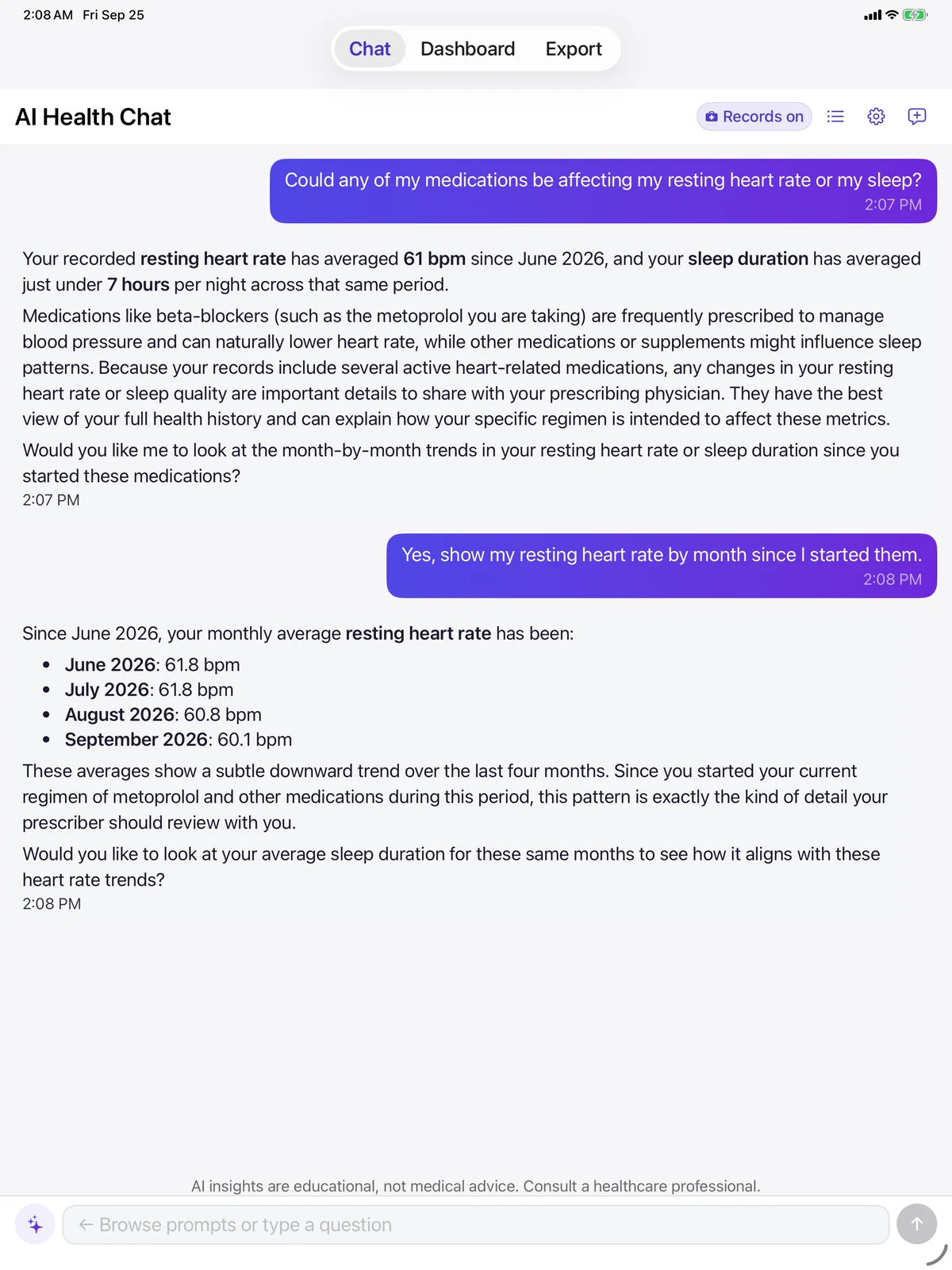
The chat loop
The app handles the data work between questions.
A normal AI chat only knows what you paste into it. AI Health Export can combine your saved health context, selected HealthKit metrics, and follow-up questions into one repeatable loop.
Ask
Use plain English, from quick checks to detailed investigations.
Find
The app selects the relevant metric window and health context.
Answer
Gemini returns an explanation grounded in your Apple Health data.
Follow up
Ask for evidence, alternate windows, or a doctor-ready summary.
Why it feels different
Built for health questions that need memory, speed, and precision.
The product is not trying to be a general chatbot. It is built around the repeated questions people ask when they are tracking sleep, HRV, training load, symptoms, and recovery.
Around 3 second responses
Gemini 3.1 Flash-Lite was selected after model comparisons and prompt testing. Follow-up chats use context caching for faster repeat questions.
Memory across sessions
The app can remember health context like medications, conditions, goals, routines, and patterns so you do not have to re-explain yourself every chat.
Minute-level HealthKit lookups
Function calling lets the chat ask the app for the right slice of Apple Health data instead of relying only on a preloaded summary.
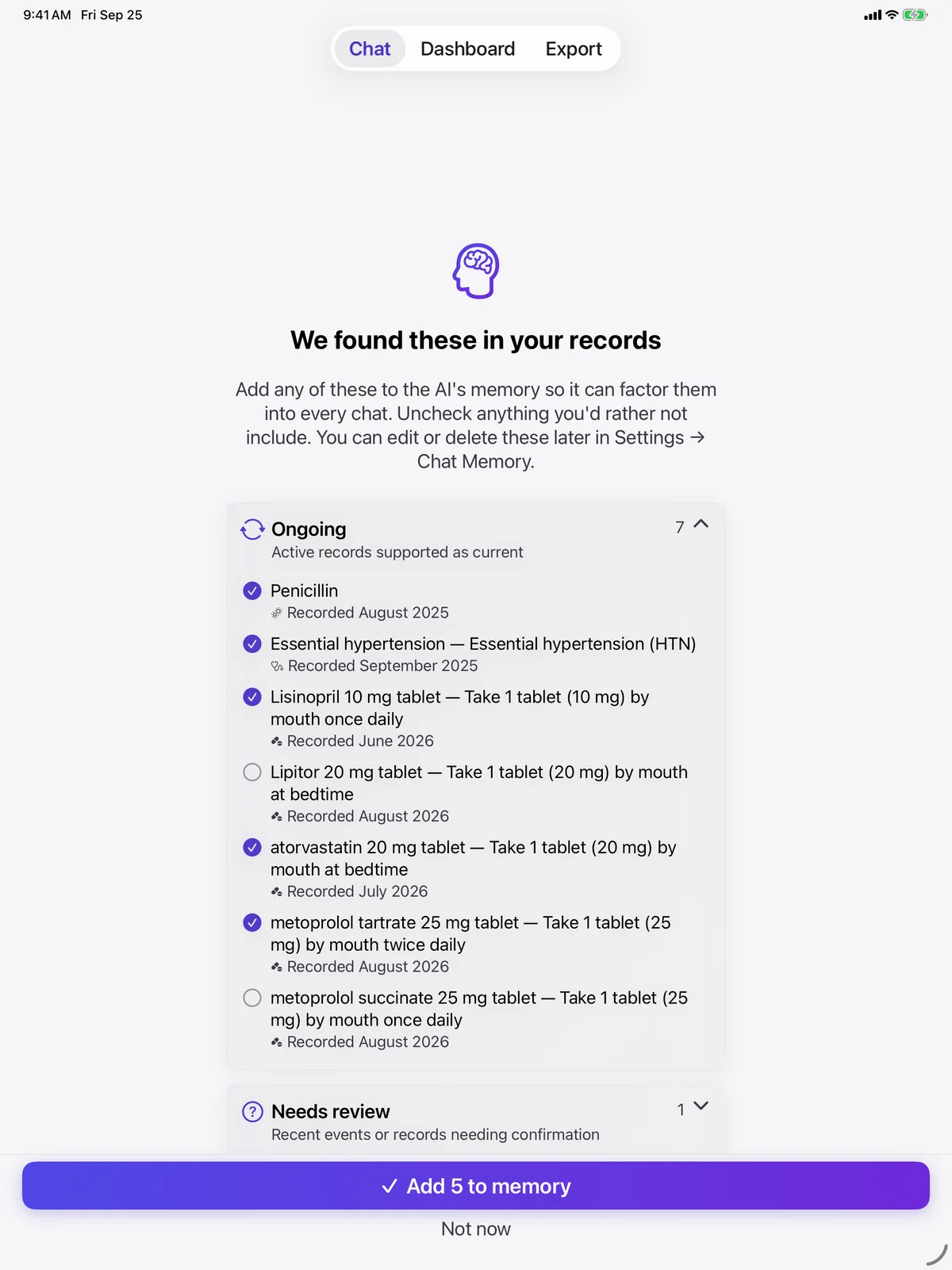
Chat memory
Your health context can travel with the conversation.
Memory can extract durable facts from chat, then keep them available for future analysis. That means a question about sleep can also account for your goals, routines, medications, conditions, and recent patterns without starting from zero.
- Edit or delete saved facts from Settings.
- Chat history and memory live locally on your device.
- Saved facts are included in the context sent when you open or use AI Health Chat.
Medical Records · AI Health Chat
Bring your medical records into the conversation.
Records connected in Apple Health, such as conditions, medications, allergies, and lab results, can join AI Health Chat so its answers account for them.
- Off by default. They turn on only when you allow Apple Health Records access for Chat.
- A Records on badge shows whenever they are included. Turn them off from the badge or Settings.
- Included with paid AI Health Chat plans, not during the free trial.
- Insurance and coverage records are never read, exported, or sent to AI.
Prompt library
Start with 50 built-in biohacker prompts.
The prompts are designed to ask for relationships, not generic summaries. They help you get past the blank page and into useful health-data questions quickly.
Use chat when you want a fast answer.
Ask about trends, correlations, outliers, and follow-ups inside the app. Best for recurring health reviews and questions that benefit from memory.
Open the App StoreUse CSV export when you want portability.
Export files for ChatGPT, Claude, Gemini, spreadsheets, Python, R, doctor summaries, or long-term research. Best when you want to own the file and choose the tool.
Compare the CSV workflowPrivacy boundary
Clear control over what leaves your iPhone.
Free and Lifetime Export
CSV creation happens locally on your iPhone.
AI Health Chat
Health context is sent to Google's Gemini API when you open chat and when you send a message.
Model training
Google does not use paid API data to train its general models.
External AI tools
If you export a CSV to another AI tool, that is your explicit choice and their terms apply.
Make your Apple Health data conversational.
Start free with export, or try AI Health Chat when you want built-in chat, memory, and prompt packs.